How to Build an Auction Website Like eBay: Complete Guide
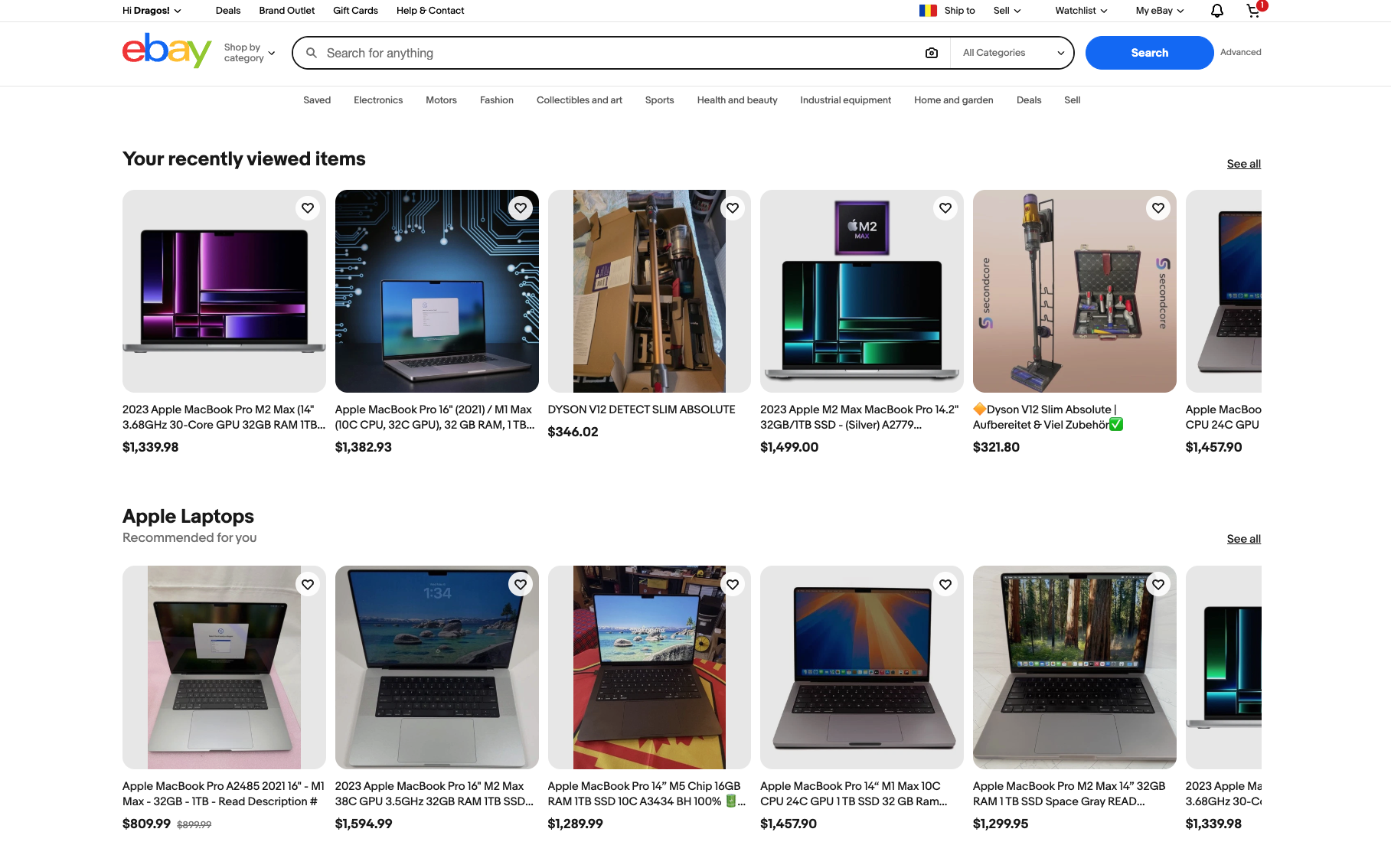
The global online auction market is a multi-billion dollar space, and eBay is no longer the only player worth taking seriously. Niche auction platforms for real estate, farm equipment, vintage collectibles, industrial machinery, cars, and charity fundraising are growing fast — and many of them were built without a team of 50 engineers.
Building an auction website is genuinely more complex than building a standard e-commerce store. Auctions have hard real-time requirements: when two bidders are competing in the final 30 seconds, the platform cannot lag, cannot double-count bids, and cannot show stale prices. But the technical challenges are solvable — especially if you choose the right starting point.
This guide covers everything you need to know: the different auction types, the features your platform must have, the three main build approaches, and why ready-made auction software is the fastest and most cost-effective path for most businesses.
What Makes an Auction Website Different from Standard E-commerce
A standard e-commerce store is essentially a product catalogue with a checkout. Prices are fixed, inventory is deducted on purchase, and the main technical challenge is handling transaction volume.
An auction website has fundamentally different requirements:
Real-time state management. When someone places a bid, every other active bidder must see the new price immediately — not on the next page refresh. This requires WebSocket connections or long-polling, not simple HTTP requests. At peak auction moments, you can have hundreds of users watching the same listing simultaneously.
Time-sensitive logic. Auctions end at specific times. Countdown timers must be synchronised server-side (not just in the browser, which can be manipulated). Many platforms implement auto-extend rules: if a bid is placed in the final 2 minutes, the auction extends by another 2 minutes to prevent sniping.
Bid validation and anti-fraud. The platform must enforce minimum bid increments, validate that a bidder has sufficient funds or a verified payment method, prevent retracted bids, and detect bid-shielding (coordinated bidding designed to artificially inflate or suppress prices).
Proxy bidding. Most auction platforms support automatic bidding up to a maximum amount the user sets privately. The system places the minimum required bid on the user’s behalf as competing bids come in. Implementing this correctly — especially the tie-breaking rules — requires careful logic.
These requirements mean auction platforms have a higher development floor than standard stores. The good news: all of them are solved problems in purpose-built auction software.
The Five Auction Types You Need to Understand
Before choosing a platform, decide which auction formats your business needs to support:
English auction (ascending bid): The classic format. Bidding starts at a reserve price and rises until time expires or no further bids come in. The highest bidder wins. eBay’s standard auction uses this format. Most auction platforms are built primarily around this type.
Dutch auction (descending price): The price starts high and drops at intervals until a buyer accepts it. Used for perishable goods, flower markets, and situations where speed of sale matters more than maximising price.
Reverse auction: Sellers compete to offer the lowest price for a buyer’s requirement. Common in procurement, contractor bidding, and B2B sourcing. The buyer posts what they need; suppliers bid down.
Penny auction: Bidders pay a small fee (typically $0.50–$2) each time they place a bid. The price rises by a small increment per bid, and the auction clock resets with each bid. The last bidder when the timer hits zero wins at the current (often very low) price. These are highly engaging but require specific anti-abuse controls.
Sealed bid auction: All bidders submit a single private bid by a deadline. The highest bid wins (often paying the second-highest price — this is a Vickrey auction). Used in real estate and government procurement.
Core Features Every Auction Platform Needs
Regardless of which auction type you run, your platform needs these capabilities before it can go live:

Real-time bid updates. Bids must appear instantly across all active sessions on a listing. WebSocket technology is the standard approach — it maintains a persistent connection between the browser and server so the server can push updates without the client polling.
Proxy / automatic bidding. Users set a maximum bid. The system automatically increments on their behalf up to that maximum. Essential for usability — without it, users must stay glued to their screen for the entire auction duration.
Countdown timers with server synchronisation. Client-side timers can drift or be manipulated. The authoritative clock must be on the server, with the client display synced to it regularly.
Anti-sniping / auto-extend. Bids placed in the final N minutes extend the auction by N minutes. Prevents the gaming that comes from placing bids at the literal last second.
Seller and listing management. Sellers need to create listings with rich descriptions, multiple images, reserve prices, buy-it-now options, starting bids, and duration settings.
Payment processing. Winning bidders need to pay. Integration with Stripe, PayPal, or other gateways is mandatory. Many platforms hold payment authorisation at bid time and capture on winning.
User verification and trust systems. Buyer and seller ratings, verified identity for high-value auctions, bid deposits for serious lots, and fraud detection rules.
Mobile-responsive interface. A significant portion of auction activity happens on mobile. The bidding interface must work cleanly on small screens, including the real-time bid feed and countdown timer.
Admin dashboard. Full control over listings, users, disputes, featured placements, fee structures, and reporting.
The Three Approaches to Building an Auction Website
Option 1: Build from scratch
A custom-built auction platform gives you complete control over every feature and user experience detail. It’s the right choice if your auction format is genuinely unique, you need deep integration with proprietary systems, or you’re planning to grow to eBay-scale and need infrastructure designed for it from day one.
The cost is significant: a professional custom auction platform built to production standards typically runs $50,000–$150,000+ depending on feature scope, with a development timeline of 6–18 months. You also need ongoing engineering resources to maintain it. For most businesses entering the auction space, this is far more than necessary to launch and validate the concept.
Option 2: WordPress / WooCommerce auction plugins
Plugins like YITH WooCommerce Auctions add bidding functionality on top of WordPress. If you already have a WooCommerce store and want to add auction listings as one channel among many, this can work.
The limitations become apparent at scale: WordPress was not architected for real-time WebSocket connections. Most auction plugins simulate real-time with AJAX polling, which creates server load and bidding latency that users notice. For casual, low-traffic auction events this is acceptable. For a dedicated auction platform where competitive bidding is the core product, the technical compromises are hard to paper over.
Option 3: Purpose-built auction software (recommended)
Ready-made auction software is built specifically for the real-time demands of online auctions. The core infrastructure — WebSocket bidding, proxy bid logic, anti-fraud rules, countdown synchronisation — is already built and tested across production deployments. You configure it for your niche, customise the branding, connect your payment processor, and launch.
For most auction businesses, this is the right starting point: it compresses what would otherwise be 12 months of custom development into weeks, at a fraction of the cost.
Premium Auction Software: The Go-To Ready-Made Platform
Premium Auction Software is the standout option in the ready-made category, trusted by 500+ auctioneers globally. It covers all five major auction formats — English, Dutch, Reverse, Penny, and Sealed Bid — in a single platform, with real-time bidding powered by WebSocket and AJAX technology delivering millisecond-level bid updates.

What’s included
Real-time bidding engine. WebSocket connections ensure bids appear instantly across all active sessions. No page refreshes, no polling lag — the experience is comparable to a purpose-built custom platform.
Proxy bidding. Full automatic bidding with configurable increment tables. The system manages competing proxy bids correctly, including tie-breaking logic.
Five auction types. Switch between English, Dutch, Reverse, Penny, and Sealed Bid formats per listing. This is rare in a single platform and opens up multiple monetisation models.
Multi-vendor marketplace. Multiple sellers can list items on your platform. You control the fee structure — percentage of sale, listing fees, featured placement — and the platform handles the accounting splits.
Payment integrations. Native support for Stripe, PayPal, Authorize.net, and Square. Supports payment authorisation at bid time and capture on winning.
Anti-fraud controls. User verification, bid-shielding detection, moderation tools, and configurable deposit requirements for high-value lots.
Mobile-first design. Fully responsive interface built for phones and tablets — not a desktop site squeezed onto mobile.
SEO-ready architecture. Clean URLs, configurable meta tags, and fast load speeds. Auction listings are indexable and optimised for organic search from day one.
Advanced analytics dashboard. Track active bidders, peak times, revenue, conversion rates, and listing performance.
No artificial limits. No caps on users, listings, or bid volume. Scale from 10 auctions per month to 10,000 without hitting platform restrictions.
Pricing
Premium Auction Software uses a one-time payment model — no monthly subscriptions, no commission on your sales, no per-listing fees. You own the software outright.
| Plan | Price | What’s included |
|---|---|---|
| Standard | $899 one-time | Full platform, all auction types, all integrations |
| Professional | $1,999 one-time | Everything in Standard + 10 hours of customisation |
| Enterprise | $2,999 one-time | Everything in Professional + 30 hours customisation + priority support |
For context: a custom-built auction platform with equivalent features would typically cost $50,000–$150,000 and take 6–18 months to build. A SaaS auction platform would typically charge $200–$800/month plus commission on sales — meaning Premium Auction Software’s $899 Standard plan pays for itself within months compared to any subscription alternative.
The platform is self-hosted on your own server (or a recommended provider), giving you full control over data, performance, and uptime. Source code access is available on higher tiers.
How to Launch Your Auction Website: A Practical Checklist
Once you’ve chosen your platform, the launch process follows a predictable path:
1. Define your niche and auction format. The most successful auction platforms serve a specific vertical: farm equipment, vintage watches, charity fundraising, industrial surplus, real estate. A focused niche is easier to market, builds trust faster, and attracts the concentrated buyer pool that makes auctions work.
2. Set up hosting. Premium Auction Software is self-hosted. Choose a VPS or cloud instance (DigitalOcean, AWS, or the recommended providers) with enough resources for your expected traffic. Real-time bidding is more CPU-intensive than standard web traffic — plan for spikes during auction close windows.
3. Configure your payment processor. Connect Stripe or PayPal first — they have the smoothest onboarding and the widest buyer acceptance. Configure whether you want payment authorisation at bid time or payment on winning.
4. Build your fee structure before launch. Decide: are you charging sellers a listing fee, a percentage of final sale, or both? Are there promoted placement fees? Getting this right at launch is easier than changing it after sellers have joined the platform.
5. Seed the platform with listings before opening to the public. An auction site with no listings drives no registrations. Source your first 20–50 lots — either your own inventory, consignment partners, or charity donations — so new visitors land on an active marketplace.
6. Set up trust and verification flows. At minimum, email verification for all accounts and a clear dispute resolution process. For high-value lots, add identity verification and deposit requirements before bidding is permitted.
7. Test every auction format you plan to offer. Run internal test auctions with dummy accounts. Test the countdown timer under load, test proxy bidding with competing bids, test the payment capture flow, and test what happens when a reserve isn’t met.
8. Configure SEO foundations. Clean URLs for listings (Premium Auction Software handles this), unique meta titles and descriptions for category pages, and a sitemap submitted to Google Search Console.
Common Mistakes to Avoid
Launching without anti-sniping. Without auto-extend, experienced bidders will game your auctions by waiting until the last second. Most legitimate bidders find this frustrating and stop participating. Enable auto-extend from day one.
Underestimating server load at auction close. Traffic spikes hard in the final minutes of popular auctions. Make sure your hosting is sized for peak concurrent connections, not average load.
Not testing payment failure flows. What happens when a winning bidder’s payment fails? You need a clear process — second-chance offer, relisting, or dispute — defined before it happens in production.
Skipping mobile testing. Bidders increasingly participate on mobile. Test the full bidding flow, including countdown timer and bid confirmation, on actual mobile devices before launch.
Is an Auction Website Right for Your Business?
Online auctions work best when there’s genuine price discovery value — when buyers and sellers don’t know the exact market price, or when scarcity creates competition. Categories like estate liquidation, rare collectibles, surplus equipment, charity fundraising, and real estate all have this characteristic.
If your business model fits, the combination of a strong niche, the right software infrastructure, and a seller pipeline can build a highly defensible platform. eBay built a $35B business on this model. Smaller, focused auction businesses are doing the same at their scale every day.
For businesses serious about the technical execution — from platform setup and payment integration to SEO and custom feature development — CodingGeek’s custom e-commerce development team has experience across both custom-built and platform-based auction deployments. Get in touch to discuss the right approach for your specific auction model.
External resources:
- Premium Auction Software — ready-made auction platform with one-time pricing
- Stripe documentation on payment authorisation and capture — how to hold funds at bid time and capture on winning
- eBay seller centre — how eBay’s own auction mechanics work
- Baymard Institute checkout UX research — checkout and trust principles applicable to auction platforms
- MDN WebSockets documentation — technical reference for the real-time bidding layer
- PCI DSS compliance overview — payment security requirements for platforms handling card data
- Google Search Console — for indexing and monitoring your auction listings in organic search