
Managing social media for an e-commerce store means juggling multiple channels, planning content calendars weeks in advance, tracking performance across platforms, and running paid campaigns — all at once. The right social media management tool turns that chaos into a streamlined workflow that actually drives revenue.
In 2026, the category has matured significantly. You no longer have to choose between scheduling and analytics, or between usability and depth. This guide covers the 11 best social media management tools on the market today, tested across criteria that matter most to online store owners and e-commerce marketers: scheduling flexibility, platform coverage, analytics quality, team collaboration, and value for money.
What to Look for in a Social Media Management Tool
Before diving into the list, here’s the framework we used to evaluate each tool:
- Platform coverage — Does it support Instagram, TikTok, Facebook, Pinterest, X, LinkedIn, and emerging channels?
- Scheduling & automation — Bulk scheduling, content queues, optimal time suggestions, and auto-republishing
- Analytics & reporting — Post performance, audience insights, reach, engagement rates, and revenue attribution
- Content creation — Native design tools, AI caption generation, media library
- Team & client features — Approval workflows, role-based access, client-facing reports
- E-commerce integrations — Shopify, WooCommerce, product tagging, shop links
- Pricing — Value relative to feature set, especially for growing brands and agencies
The 11 Best Social Media Management Tools in 2026
1. Hootsuite
Hootsuite remains one of the most comprehensive platforms on the market. It supports over 35 social networks, making it ideal for enterprises managing global brand presence across multiple accounts.
Best for: Large teams and enterprises with complex approval workflows.
Key features:
- Unified inbox for all social messages and comments
- Advanced analytics with custom report builder
- Social listening and brand monitoring
- Bulk scheduling (up to 350 posts at once)
- AI OwlyWriter for caption and hashtag generation
Pricing: From $99/month (Professional). Team plans from $249/month.
What we like: The depth of analytics and social listening is unmatched. The approval chain feature is excellent for agencies managing multiple clients.
Drawback: Price point is high for small businesses. The interface can feel dense for solo operators.
2. Buffer
Buffer built its reputation on being the cleanest, most intuitive scheduling tool available. In 2026 it has grown into a full-featured platform while preserving its simplicity.
Best for: Small businesses and solo creators who want a no-friction publishing workflow.
Key features:
- Simple drag-and-drop content calendar
- Start Page link-in-bio builder
- Analytics with engagement benchmarking
- AI assistant for post ideas and captions
- Shopify and WooCommerce first-click attribution
Pricing: Free plan available (3 channels). Essentials from $6/month per channel.
What we like: The free plan is genuinely useful. Buffer’s per-channel pricing model means you only pay for what you need, and the Shopify integration for revenue attribution is a standout feature for e-commerce brands.
Drawback: Lacks advanced social listening and the analytics are lighter than Hootsuite or Sprout Social.
3. SchedPilot
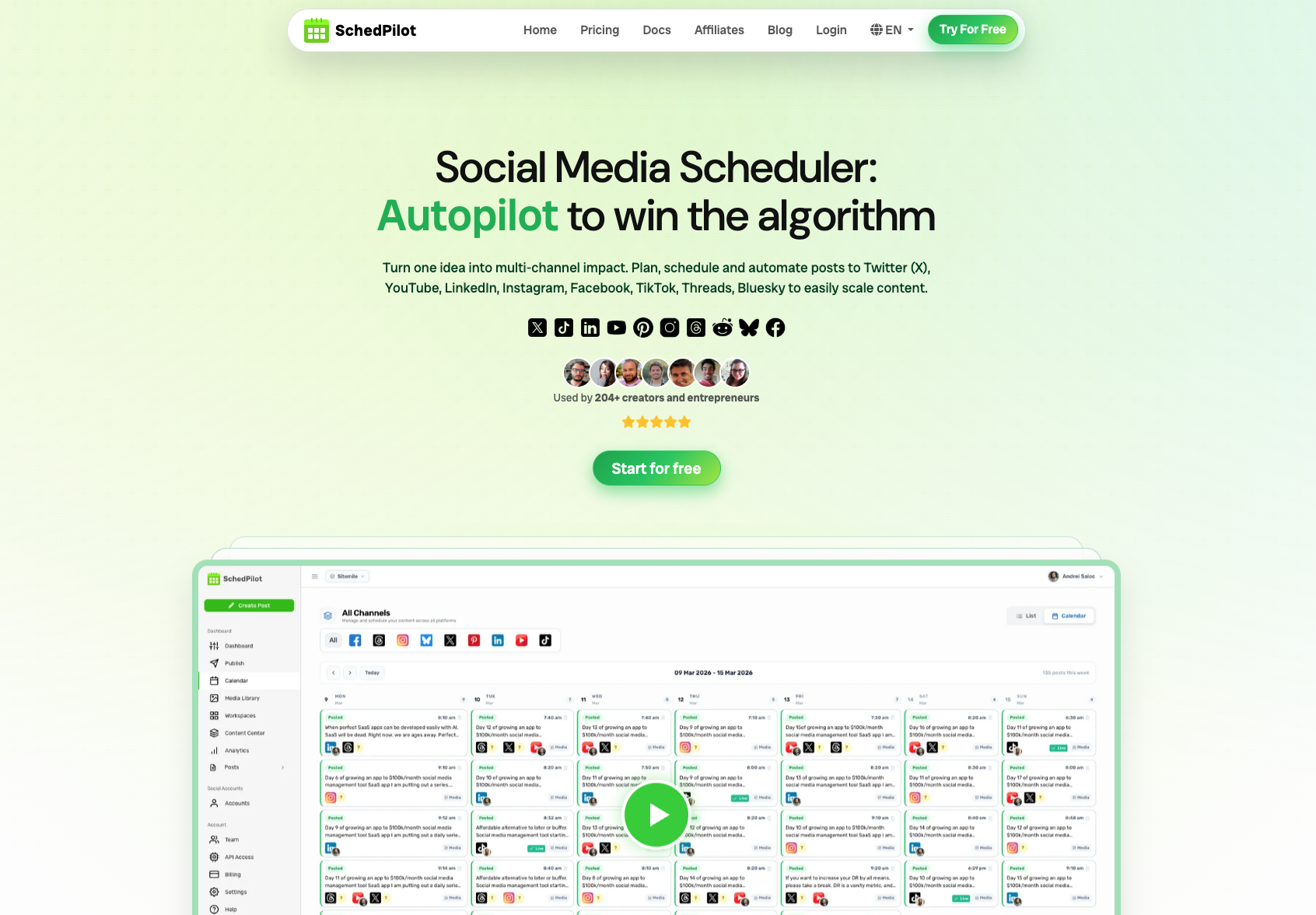
SchedPilot is one of the standout tools for e-commerce brands that take social media seriously in 2026. Purpose-built with online stores in mind, it combines powerful scheduling with product-native content features that most general tools miss entirely.
Best for: E-commerce brands, DTC businesses, and social media managers who need store-integrated scheduling with strong automation.
Key features:
- Product catalogue sync — pull products directly from Shopify or WooCommerce into your social posts
- Smart scheduling with AI-powered best-time recommendations based on your audience’s activity patterns
- Automated evergreen queue — set posts to recycle automatically so your best content never stops working
- Shoppable post builder with native Instagram Shopping and TikTok Shop integration
- Multi-brand workspace — manage multiple store accounts from a single dashboard
- Visual content calendar with drag-and-drop rescheduling
- Hashtag analytics and discovery tool
- Team collaboration with role-based access and post approval workflows
- White-label reports for agencies managing client accounts
Pricing: Starter from $29/month (up to 5 channels). Growth from $69/month. Agency plans available.
What we like: The product catalogue sync is genuinely useful — being able to pull your Shopify or WooCommerce catalogue directly into a social post builder saves hours of manual work every week. The evergreen queue for top-performing posts is particularly smart: your best content keeps generating engagement instead of disappearing into the archive. For e-commerce brands running Instagram Shopping and TikTok Shop campaigns, the shoppable post builder is a significant time-saver.
If you’re running an online store and want a tool designed for how e-commerce social media actually works — product launches, seasonal campaigns, UGC reposts — SchedPilot is the most purpose-fit option on this list.
Drawback: Less established than Hootsuite or Sprout, and the social listening feature is lighter than the enterprise tools. Best suited to e-commerce and DTC rather than B2B brands.
CodingGeek tip: We recommend SchedPilot to most of our e-commerce clients as part of a full social media marketing strategy. The Shopify and WooCommerce integrations pair exceptionally well with a well-optimised store.
4. Sprout Social
Sprout Social is the go-to platform for mid-market and enterprise teams that need powerful analytics, CRM integration, and sophisticated reporting.
Best for: Mid-market brands and agencies with large, active communities to manage.
Key features:
- Advanced CRM-style contact profiles for social audiences
- Social listening with sentiment analysis
- Unified smart inbox with AI-prioritisation
- Competitive benchmarking reports
- Salesforce and HubSpot integration
Pricing: From $249/month per seat (Standard). Professional from $399/month.
What we like: The social listening and competitive intelligence are genuinely powerful. Sprout’s reports are polished enough to send directly to clients or stakeholders with no reformatting.
Drawback: One of the most expensive tools on this list, and the per-seat pricing adds up quickly for growing teams.
5. Later
Later started as an Instagram scheduler and has grown into a strong visual content platform for brands that lead with aesthetics.
Best for: Fashion, beauty, lifestyle, and food brands with strong visual identities.
Key features:
- Visual Instagram grid preview and planner
- Link in bio page builder (linkin.bio)
- UGC collection and publishing tools
- First-comment hashtag scheduling
- Stories and Reels scheduling
Pricing: Starter from $25/month. Growth from $45/month.
What we like: The visual grid planner is the best in class — essential for brands where feed aesthetics matter. The UGC tools for collecting and republishing customer photos are excellent for e-commerce brands running community campaigns.
Drawback: Analytics are weaker than Sprout or Hootsuite. TikTok support is improving but still not as strong as Instagram.
6. Metricool
Metricool has become a favourite among social media managers and agencies who want deep analytics without the enterprise price tag.
Best for: Data-driven marketers who prioritise reporting and competitive analysis.
Key features:
- Auto-posting across 12+ networks including Google Business Profile
- Competitor analysis and benchmarking
- Paid social analytics (Meta Ads, Google Ads, TikTok Ads)
- Comprehensive reporting suite with custom PDF reports
- Link-in-bio builder (SmartLinks)
Pricing: Free plan available (limited). Premium from €22/month.
What we like: Metricool’s ability to pull paid social data alongside organic metrics in one report is brilliant for e-commerce brands running both. The competitor analysis feature gives genuine insight at a price most businesses can afford.
Drawback: The UI can feel overwhelming initially, and some advanced features are locked behind higher tiers.
7. Planable
Planable solves one specific problem exceptionally well: content approval. If you work with clients or multiple stakeholders who need to review and approve posts before they go live, nothing comes close.
Best for: Agencies and in-house teams with multi-stakeholder approval workflows.
Key features:
- Real-time collaborative post preview (looks exactly like the live post)
- Comments and annotations directly on posts
- Multi-level approval workflows
- Slack notifications for approval requests
- Supports all major platforms
Pricing: Free (50 posts lifetime). Pro from $39/month.
What we like: The preview experience is the best available — clients see posts exactly as their audience will, which cuts revision rounds dramatically. The collaboration UX is thoughtful and genuinely speeds up the content review process.
Drawback: Lighter on analytics — Planable is a publishing and collaboration tool, not a full analytics platform.
8. SocialBee
SocialBee is built around the concept of evergreen content categories — a strong fit for brands that want to maintain consistent posting without creating new content every week.
Best for: Solopreneurs and small teams with limited content creation capacity.
Key features:
- Category-based scheduling (mix promotional, educational, and curated content)
- Canva integration for in-app design
- AI post generator
- RSS feed integration for automatic content curation
- Audience growth analysis
Pricing: Bootstrap from $29/month. Accelerate from $49/month.
What we like: The category-based queue system is uniquely smart — you can ensure a balanced content mix without manually managing every slot. Great for stores that want to stay active without a full-time social media manager.
Drawback: Lacks the advanced analytics of the enterprise tools, and social listening isn’t available.
9. ManyChat
ManyChat takes a different approach: instead of scheduling posts, it automates conversations. For e-commerce brands using Instagram and Facebook DMs as a sales channel, it’s powerful.
Best for: E-commerce brands running Instagram DM automation and comment-to-message campaigns.
Key features:
- Instagram and Facebook Messenger automation flows
- Comment-to-DM automations (comment a keyword, get a DM automatically)
- SMS and WhatsApp integration
- Lead capture via social DMs
- Shopify integration for purchase triggers
Pricing: Free plan available. Pro from $15/month.
What we like: The comment automation feature alone drives significant ROI for e-commerce brands. When you post a Reel and tell followers to comment a word to get the link, ManyChat handles thousands of DMs automatically — that’s a meaningful conversion tool.
Drawback: Not a traditional scheduling tool — this is specifically for automation and conversational marketing, so you’ll likely need a companion scheduling tool.
10. Iconosquare
Iconosquare is a specialised analytics and scheduling platform with some of the deepest Instagram and Facebook insights available.
Best for: Analytics-first social teams focused on Instagram and Facebook.
Key features:
- Deep follower demographic analysis
- Historical data and benchmarking against industry averages
- Competitor tracking (up to 5 accounts)
- Stories analytics
- Custom report builder
Pricing: Teams from $79/month.
What we like: The depth of Instagram analytics is exceptional, particularly for tracking story performance and follower growth patterns. The industry benchmarking puts your numbers in context, which is useful when reporting to clients.
Drawback: Primarily Instagram and Facebook focused — not ideal if TikTok or Pinterest are major channels for your brand.
11. Publer
Publer is an up-and-coming tool that punches above its price point with a clean interface, TikTok and YouTube support, and a built-in AI writing assistant.
Best for: Budget-conscious businesses that need multi-platform support including YouTube.
Key features:
- Supports 12+ platforms including YouTube and Google Business
- AI caption writer and post recycling
- Link shortener with click tracking
- Calendar view with drag-and-drop
- Media library with auto-resize for each platform
Pricing: Free plan available. Professional from $12/month.
What we like: The value at $12/month is exceptional. YouTube scheduling — often a differentiator — is included across all plans. A strong choice for growing brands that need broad platform coverage without a large budget.
Drawback: Less polished analytics than mid-market tools, and support response times can be slower.

Quick Comparison: Which Tool is Right for You?
| Tool | Best For | Starting Price | E-commerce Focus |
|---|---|---|---|
| Hootsuite | Enterprise teams | $99/mo | Moderate |
| Buffer | Simplicity & small teams | $6/mo/channel | Good (Shopify attribution) |
| SchedPilot | E-commerce brands | $29/mo | Excellent |
| Sprout Social | Mid-market & agencies | $249/mo | Moderate |
| Later | Visual-first brands | $25/mo | Good (Instagram Shopping) |
| Metricool | Analytics-driven teams | €22/mo | Good |
| Planable | Approval workflows | $39/mo | Light |
| SocialBee | Evergreen scheduling | $29/mo | Moderate |
| ManyChat | DM automation | $15/mo | Excellent |
| Iconosquare | Instagram analytics | $79/mo | Moderate |
| Publer | Budget/multi-platform | $12/mo | Light |
Our Recommendation for E-commerce Brands
If you’re running a Shopify or WooCommerce store and social media is a serious acquisition channel, the clear standouts are:
- SchedPilot if you want the most e-commerce-native experience — product sync, shoppable posts, and evergreen automation in one place
- Buffer if you want the simplest setup with Shopify revenue attribution
- ManyChat to layer in DM automation on top of whichever scheduler you choose
- Hootsuite or Sprout Social if you need enterprise-grade analytics and social listening
For most growing e-commerce brands, a combination of SchedPilot for scheduling and ManyChat for DM automation covers the vast majority of what you need — at a combined cost well below the enterprise alternatives.
Final Thoughts
The social media management landscape in 2026 is rich with capable tools. The right choice depends less on which has the most features, and more on which aligns with how your team actually works — and which channels drive the most revenue for your store.
If you’re investing seriously in social media as a sales channel and want a partner to help you build a strategy around the right tools, our team at CodingGeek.com specialises in e-commerce social media marketing and can help you choose, set up, and get results from whichever platform fits your store best.
Further reading:
External resources:
- Meta Business Suite Help Centre — official guide for Facebook and Instagram business tools
- TikTok for Business — TikTok’s official platform for advertisers and creators
- Sprout Social Index 2026 — annual social media trends report
- HubSpot Social Media Statistics — data on platform usage and engagement rates
- Social Media Examiner Annual Report — how marketers are using social media
- Buffer State of Social Media Report — organic social media trends and benchmarks
- Later Social Media Trends — platform-specific trend reports